We're one step away from Ireland
The product already works, and it's the same in every country: invoicing, banking, bookkeeping, documents and Odi. What we're finishing is the Ireland layer, its taxes and its payroll. In the meantime you can see the whole thing running for real in Spain.
See Odiverse actually working.
Recordings of the product itself, no mockups and no re-enactments. A two-minute showcase up top and, below it, each flow on its own: invoicing, posting an expense straight from its PDF, reconciling the bank, closing the quarter, running payroll and bringing your data over from your old software.
The showcase
Two minutes: from the question to the work done.
One continuous run through what Odiverse does on an ordinary day. It opens with a business question, moves on to an invoice issued and an expense posted from its own document, and ends with the quarter calculated. It is recorded inside the app, with the demo company and its real data: what you see on screen is what there is.
Real product recording, with no touch-ups to the interface.
By topic
Each flow on its own.
If you came for something specific, go straight to it. Every piece shows the whole flow, from the request to the result, with no cuts hiding the work in between. Under each one you have it in writing too, in case you would rather read than watch.
The daily work
The part that comes back every week and eats the hours: asking how the business is doing, issuing, posting what comes in, squaring the bank and clearing what is waiting on you.
Ask it how the business is doing
A question in plain language and Odi goes and fetches the data: it queries your invoices, matches them against the bank movements and answers with figures, not generalities. If something does not add up it says so unprompted: how much is invoiced, how much has actually been collected and how much of the outstanding balance is already overdue.
Real product recording, with no touch-ups to the interface.
Issue an invoice from the chat
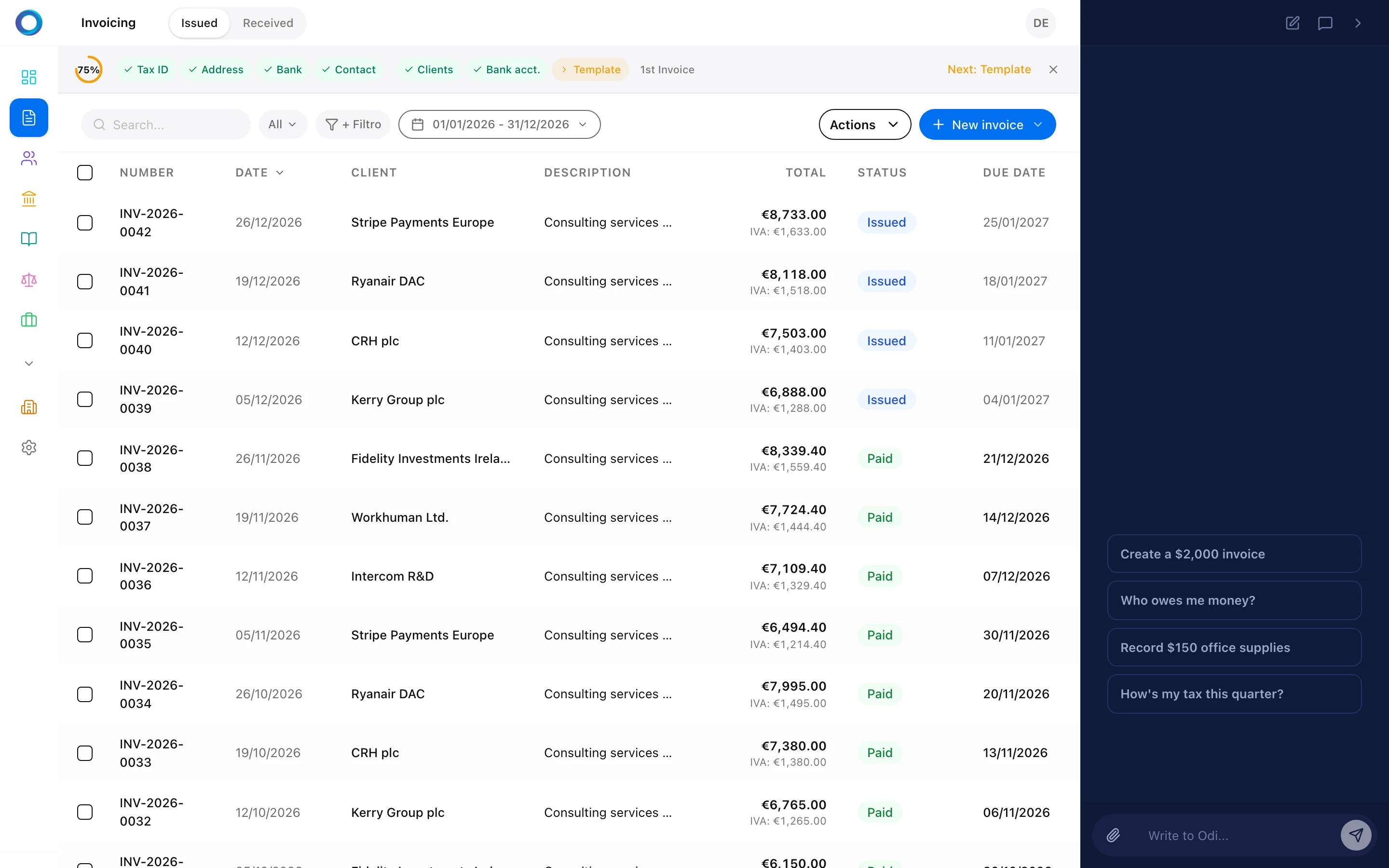
You say who and how much. Odi finds the client in your contacts, applies the right tax rate and shows you the draft before touching anything. You press the issue button yourself. On confirmation three things happen at once: the invoice, its entry in the ledger and the PDF ready to download.
A real screen from the product. The recording of this flow lands with the new set.
An expense arrives as a document
You drag the PDF into the chat and that is where your data entry ends. OCR pulls out supplier, net amount, tax and date with a confidence score, Odi proposes the account and warns you if that invoice was already recorded. You confirm and the entry is posted. If the supplier repeats, it offers to leave a rule in place for next time.
This piece is being recorded. We are not putting another flow's screen here as filler.
Square the bank, even one against many
The ugly case in reconciliation is a single bank charge paying four different invoices. Odi breaks it down line by line, shows the table with every counterparty and amount, and waits for your confirmation to reconcile the whole group. What used to be a Saturday with a spreadsheet is two clicks.
A real screen from the product. The recording of this flow lands with the new set.

Everything waiting on you, in one place
What needs deciding does not live scattered across six screens. The action centre gathers overdue receivables, documents that came in by email, pending signatures and tax deadlines, and splits them in two: today’s and what can wait. Every line carries its amount, its date and the button that settles it, with the money at stake totalled on top. This is the one piece on this page that does not go through the chat: you are not asking Odi anything here, just looking and deciding.
This piece is being recorded. We are not putting another flow's screen here as filler.
Beyond the mechanical
It does not only carry out short orders. It cross-checks your data to draw conclusions with numbers attached, and reads a whole contract to leave the schedule done.
Deep analysis, ending in a spreadsheet
For questions a single query cannot answer, Odi reasons in several steps: it looks at payroll, invoices and accounting, runs the real calculation in an isolated environment and hands back the result. The piece ends with a multi-sheet spreadsheet downloaded, with direct links to the invoices behind every figure.
A real screen from the product. The recording of this flow lands with the new set.
From the contract PDF to the amortisation schedule
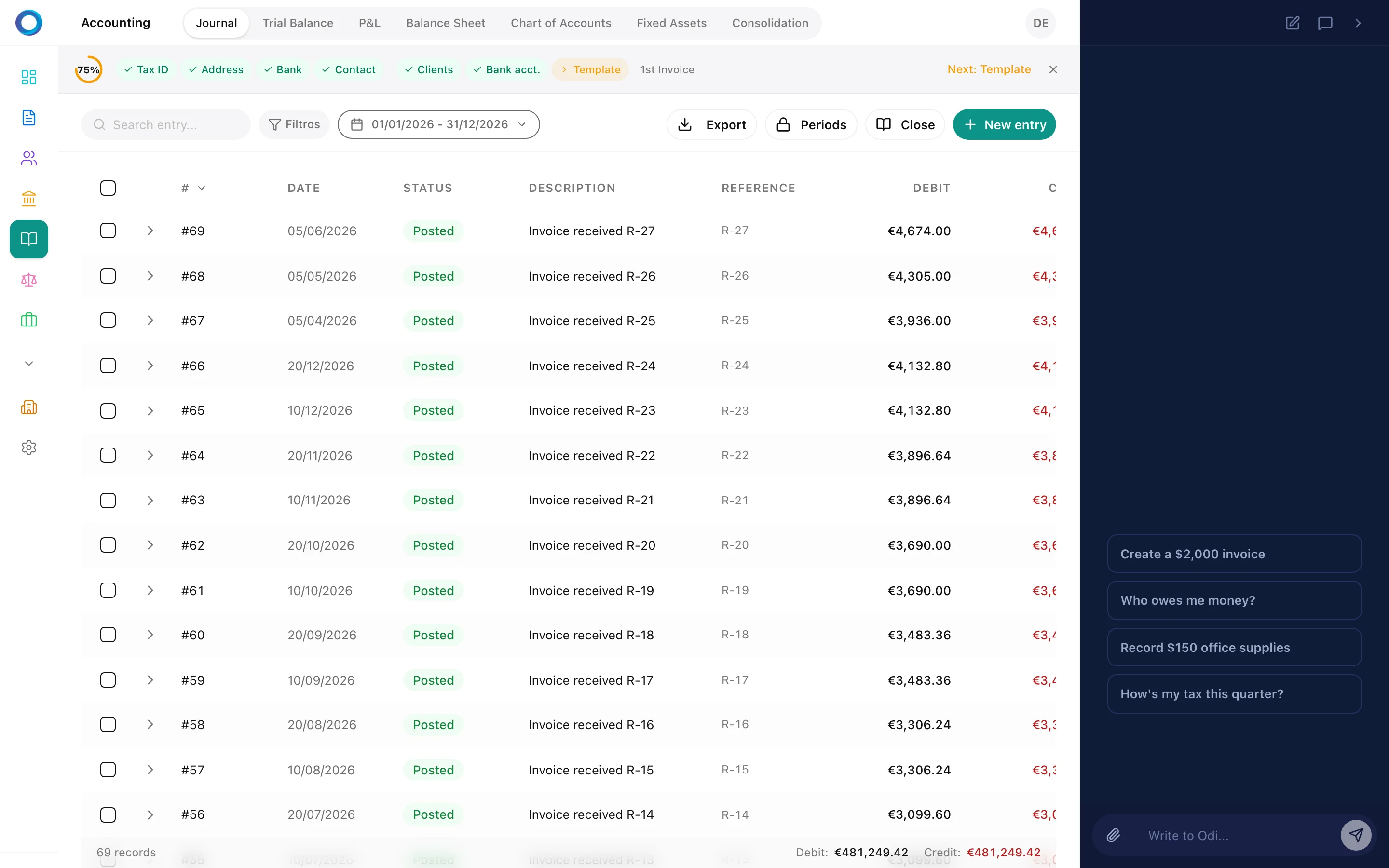
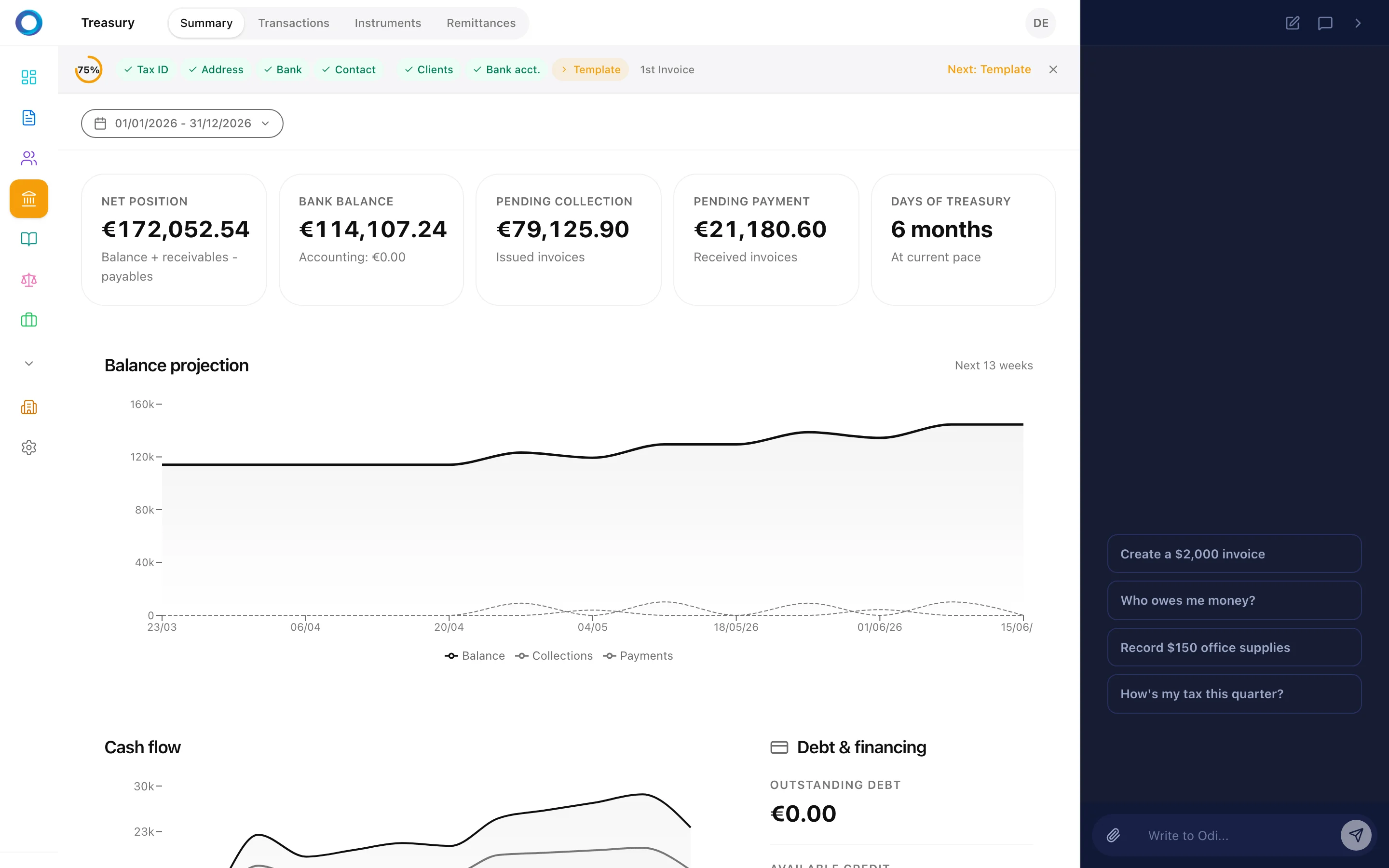
You upload the loan contract and Odi reads it: amount, rate, term and instalment, each with a confidence score. On confirmation the instrument is created in Treasury with its full schedule, instalment by instalment, and the total interest calculated. It stops being a PDF in a folder and becomes a cash forecast.
A real screen from the product. The recording of this flow lands with the new set.
The year's report, carrying your brand
Odi builds the report by cross-checking invoicing, accounting and payroll, and says in writing what is incomplete instead of papering over the gap with a round number. On confirmation the PDF is filed in Documents with your company's logo and colours, not ours.
This piece is being recorded. We are not putting another flow's screen here as filler.
Where your money actually goes
You ask for the last six months of spending and it returns the table by supplier: how much, across how many invoices, and what share of the total. But it does not stop at describing. It flags that almost a third sits in a single equipment invoice and suggests checking whether that should have been capitalised rather than expensed outright, and it separates out the two recurring contracts where negotiating actually pays.
Real product recording, with no touch-ups to the interface.
Who owes you, and what to do about it
Your overdue invoices, ranked by how much they hurt. Odi points at the worst one — eighty-five days late, close to three quarters of everything outstanding — and instead of leaving you with the number it proposes the sequence: email reminder, a phone call for when email no longer cuts it at that age, and a payment plan or formal notice if they stay silent. It will start any of the three if you say go.
Real product recording, with no touch-ups to the interface.
The week you run out of cash, with a date on it
Thirteen weeks of forecast from today's balance, with what comes in and what goes out each one. The table is not the point: the point is that it names the exact week you go negative, how long you last at the current burn, and where the money to bridge the gap could come from, starting with the overdue invoices already sitting in front of you.
Real product recording, with no touch-ups to the interface.
What it will not do
Showing what software does is the easy half. These two pieces are the other one: what happens when you hand it a false premise, and what happens when you ask for data your permissions do not reach.
It contradicts you when you are wrong
The user takes it for granted that they never uploaded the incorporation documents. Rather than playing along, Odi checks the document archive and the company profile and corrects them: it is there, with its filename, its date and its category. An assistant that confirms what you already believed is worth little; the value is in checking before answering.
Real product recording, with no touch-ups to the interface.
It stops where it should stop
A colleague without payroll permission asks it for everyone's salaries. No hedging, no long apology: Odi does not show them. And it is not that it behaves well — the payroll tools do not even exist in its context when the person asking lacks that permission. The limit does not rest on its judgement; it rests on having nothing to break through with.
This piece is being recorded. We are not putting another flow's screen here as filler.
Tax and payroll
The part nobody delegates lightly. Odiverse calculates and prepares; filing and paying stay with you.
These takes are recorded under Spanish rules, the only ones Odiverse handles end to end today. The accounting engine, the document reading and the reconciliation work the same way in your country; local tax filing and local payroll calculation are still in development, and we say so here so nobody is caught out later.
Close the quarter
The draft return is built entry by entry from your own ledger, not from a form you fill in by hand. Odi shows the table with output tax, input tax and the result, and warns you if you are past the deadline. Filing on the tax authority's site is yours to do: Odiverse prepares the number, it does not talk to the tax office for you.
This piece is being recorded. We are not putting another flow's screen here as filler.
The month's payroll, against the collective agreement
Odi proposes the month's run: total cost, who is in and who is left out for having an incomplete record. The numbers come from a deterministic engine with social security and income tax rates versioned by year, not from the language model. On confirmation they are calculated as drafts; approving and paying stay your steps.
A real screen from the product. The recording of this flow lands with the new set.

The SEPA batch for your bank
Before generating anything, Odi checks where the month's payroll actually stands. If it still needs calculating or approving it says so and offers to do it, rather than producing a half-finished file. With everything in order it prepares the batch and shows it to you line by line. You upload the file to your bank: Odiverse does not move money.
This piece is being recorded. We are not putting another flow's screen here as filler.
Starting without losing what you had
Switching software should not cost you a quarter. Your data comes in, gets reviewed and, if something is off, the whole batch is undone.
Your brand on every document
You upload your logo and Odiverse pulls your palette from it. From then on invoices, reports and templates go out with your identity, not ours, and you can pick between several designs seeing the result before you save. It is the difference between sending a document of yours and sending one that gives away which software you use.
Real product recording, with no touch-ups to the interface.
Bring the data over from your old software
You drop in the file your previous program gave you and Odi recognises what is inside: contacts, invoices, journal entries, employees. It proposes the column mapping, flags anything odd before importing and shows you the preview. If you do not like how it turned out, the whole batch is undone with one click.
A real screen from the product. The recording of this flow lands with the new set.

And with your own data?
Everything above is recorded with the demo company. Early access opens the app so you can load your own invoices and bank movements and check whether Odi gets yours right.
Request early accessWhat people usually ask before starting.
What exactly is Odiverse?
Odiverse handles all the admin work for your business: accounting, invoices, taxes, payroll, treasury. You talk to Odi, like having a dedicated team member for that. You focus on your business.
Do I need accounting knowledge?
No. Odi knows the accounting. Tell it what you need in plain language and it handles the rest. If you don't understand something, it explains. You just confirm.
Can I replace my accountant with Odiverse?
Odiverse covers what an accounting firm does: bookkeeping, VAT returns, payroll. If you prefer keeping your accountant, Odiverse makes their job easier with standard exports.
Where is my data stored?
On our own servers in the European Union. The infrastructure is GPU Solutions', certified to ISO 27001, and we comply with GDPR. Your data never leaves the EU.
What if I make a mistake or want to change something?
Accounting entries follow immutable audit trail best practices. You can always correct with a credit note. Odi guides you through the process. Nothing is lost, everything is traced.
Can I migrate from another tool?
Yes. We import contacts, invoices, chart of accounts, and bank transactions from CSV and Excel. We help you through the migration.
Does the AI make decisions for me?
Never. Odi proposes, you decide. No tax filing, no invoice, no payment happens without your confirmation. Your business is yours.
Can I try it before paying?
Yes. Early access with demo data so you can explore everything without commitment.
Freedom to focus on what matters.
Request early access and try Odiverse with your own company.
Request early access